Try before you use
Every theme opens with the real keyboard underneath. Type a few words in it first, so you know exactly how it will look.
Keydrobe dresses your keyboard in illustrated themes, from the background art to the color of every key. Try a theme on a real keyboard before you use it, then type with it in any app.
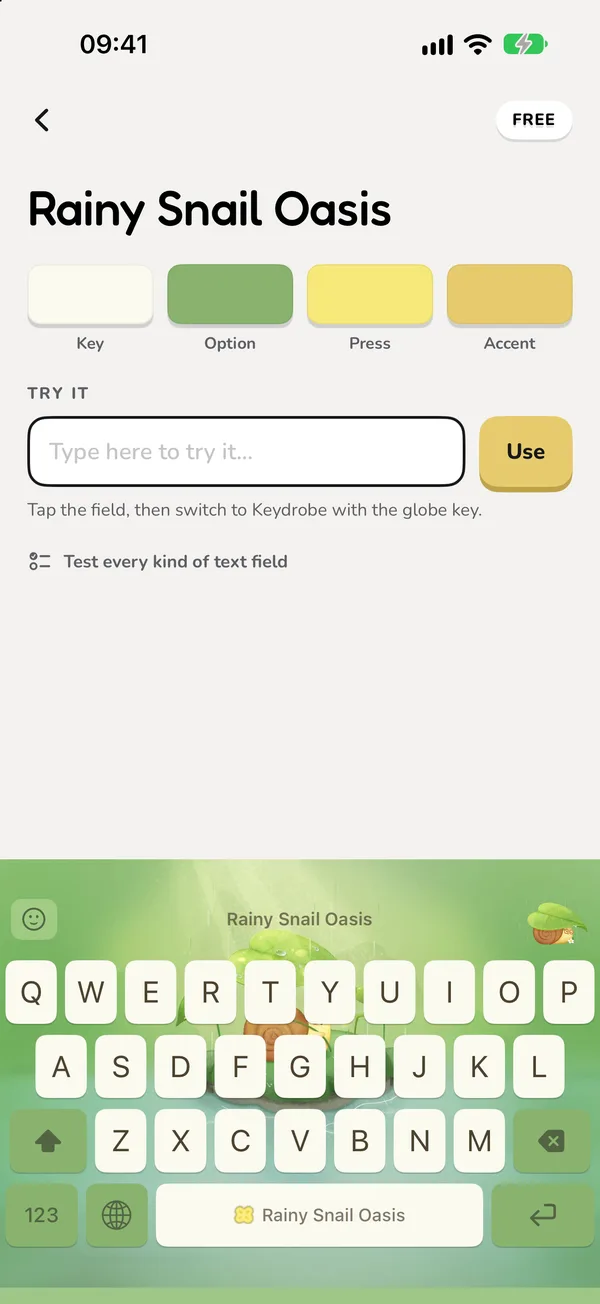
Every key, dressed your way
New themes arrive in the app as they are published. Browse the newest or the most popular, search by name, and keep the ones you love in their own list.
Every theme opens with the real keyboard underneath. Type a few words in it first, so you know exactly how it will look.
Find a theme by its name, and tap the heart on any theme to keep it in your Loved list, saved on your device.
Change the letters on the keys with 14 rounded, playful faces, or keep the font each theme was designed with.
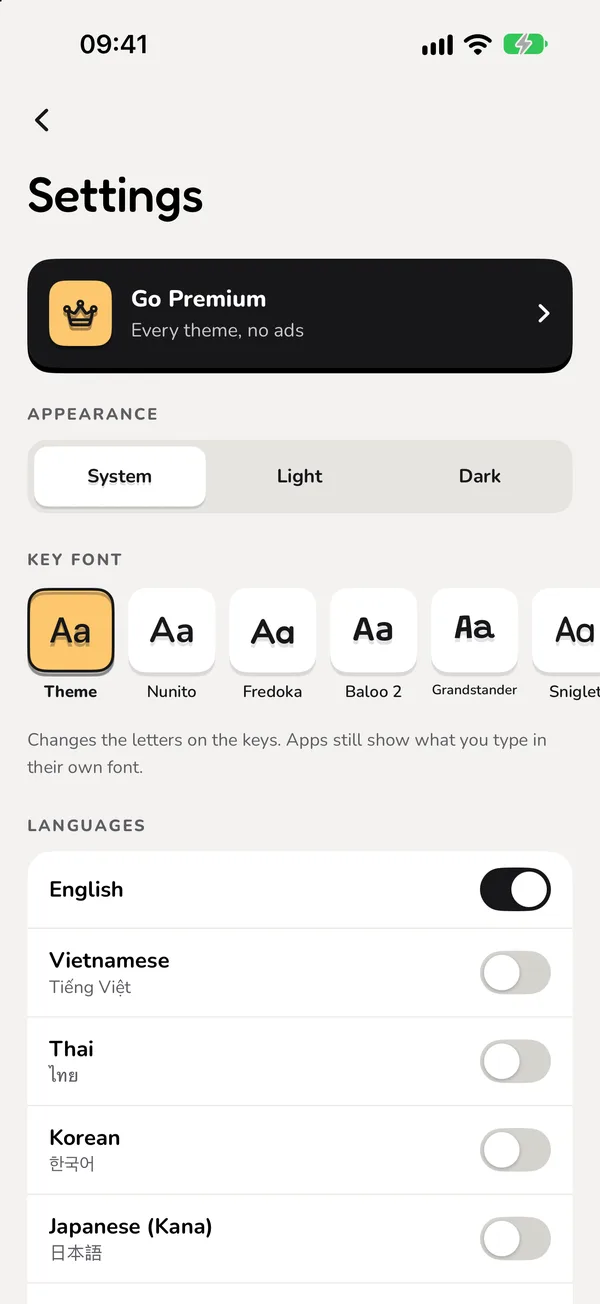
Made for how you type
Turn on the languages you write in and long-press the space bar to switch. The globe key still hands over to your other keyboards.
Private by design
The Keydrobe keyboard has no network code. It does not record, store or send your keystrokes. iOS asks you to allow Full Access only so the keyboard can read the theme files the app saved for it.
Read the Privacy Policy →
Coming soon
Keydrobe is on its way to the App Store for iPhone and iPad.
What people ask before downloading Keydrobe.
No. The Keydrobe keyboard has no network code. It does not record, store or send your keystrokes.
iOS only lets a keyboard read files its app saved when Full Access is on. Keydrobe uses it to read the theme you picked; without it the keyboard still types, wearing the free starter theme.
Keydrobe is free to download and the starter theme is free. Unlock any other theme for good by watching one short video, or go Premium for every theme with no ads.
English, Vietnamese, Thai, Korean, Japanese (Kana), Malay, Indonesian, Spanish, French and German. Long-press the space bar to switch between the ones you turn on.
iPhone and iPad with iOS 16 or later.