Digit Clock
Time in the theme's own digits, with the date.
PREMIUMPick a look for your
Widget Theme turns your Android home screen into a little diary. Fifteen useful widgets, from a clock and a calendar to a to-do list and a mood diary, each drawn with a theme's own digits, frames, stickers and icons.
See what is coming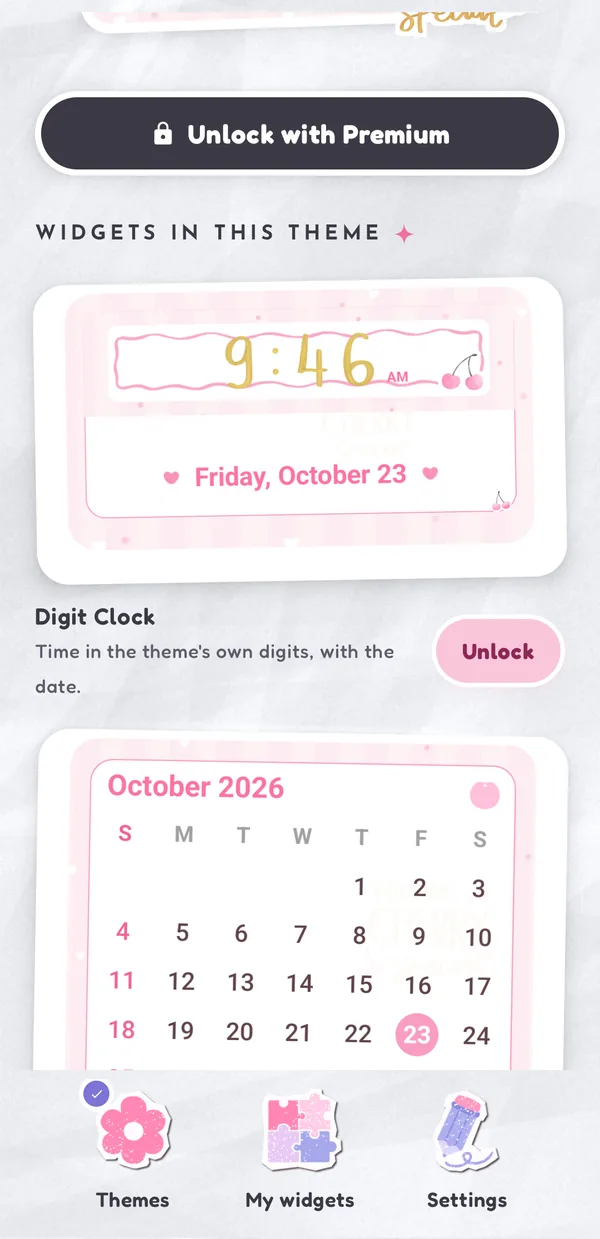
Widgets in every theme
Every widget takes the art of the theme you pick for it: the theme's clock digits, dial and hands, its frames and stickers, its check marks and its app icons. Free themes come with seven widgets. Premium themes have all fifteen.
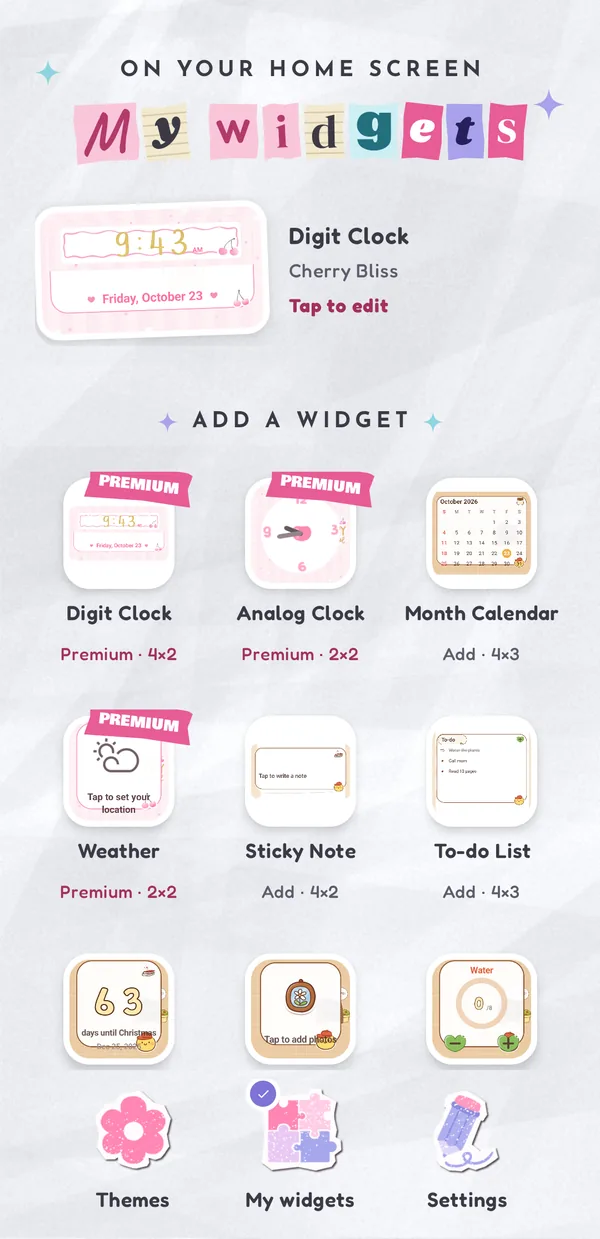
Made to mix and match
Each widget keeps its own theme and settings, so a pink calendar can sit next to a cozy cafe to-do list. Or apply one theme to all of them with a single tap.
 Themes made by artists. Free and premium themes, with new ones added all the time.
 Live on your home screen. Tick off tasks, count glasses of water, start a focus timer or draw today's lucky card without opening the app.
 Light and dark. The app follows your phone, or pick Light or Dark in Settings. Widgets always wear their theme.
Private by design
There is no account. Your notes, to-dos, moods, habits and the photos you put in a frame are kept on your phone only. Weather uses the city you search for, or your approximate location if you allow it.
Read the Privacy Policy
Coming soon
Widget Theme is on its way to Google Play and the Samsung Galaxy Store.
What people ask before downloading Widget Theme.
Fifteen: Digit Clock, Analog Clock, Month Calendar, Weather, Sticky Note, To-do List, Countdown, Photo Frame, Habit Tracker, Battery, Focus Timer, Mood Diary, Daily Lucky Card, Next Alarm and Year Progress.
Widget Theme is free to download. Free themes come with seven widgets and ask you to watch a short ad before you use them. Premium unlocks every theme and every widget with no ads.
Yes. Each widget keeps its own theme and settings, or you can apply one theme to all of your widgets with one tap.
No. There is no account. Notes, to-dos, moods, habits and the photos you put in a Photo Frame are kept on your phone only.
Android phones with Android 8 or later.