 Video → Image
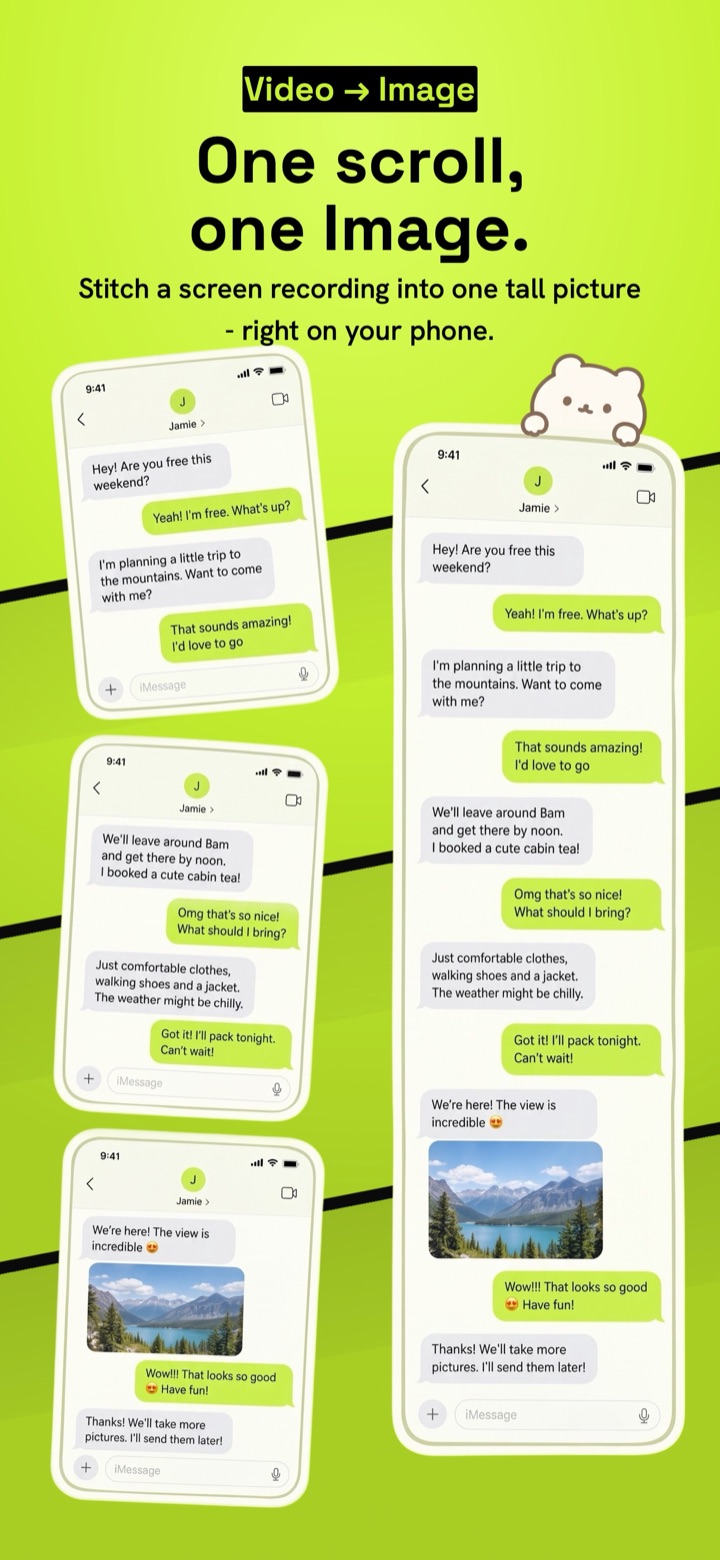
One scroll,
one image.
Stitchy turns a screen recording into one tall, clean picture. Record once while you scroll through a chat, feed or web page, and the app stitches every frame into a single long screenshot, right on your phone.


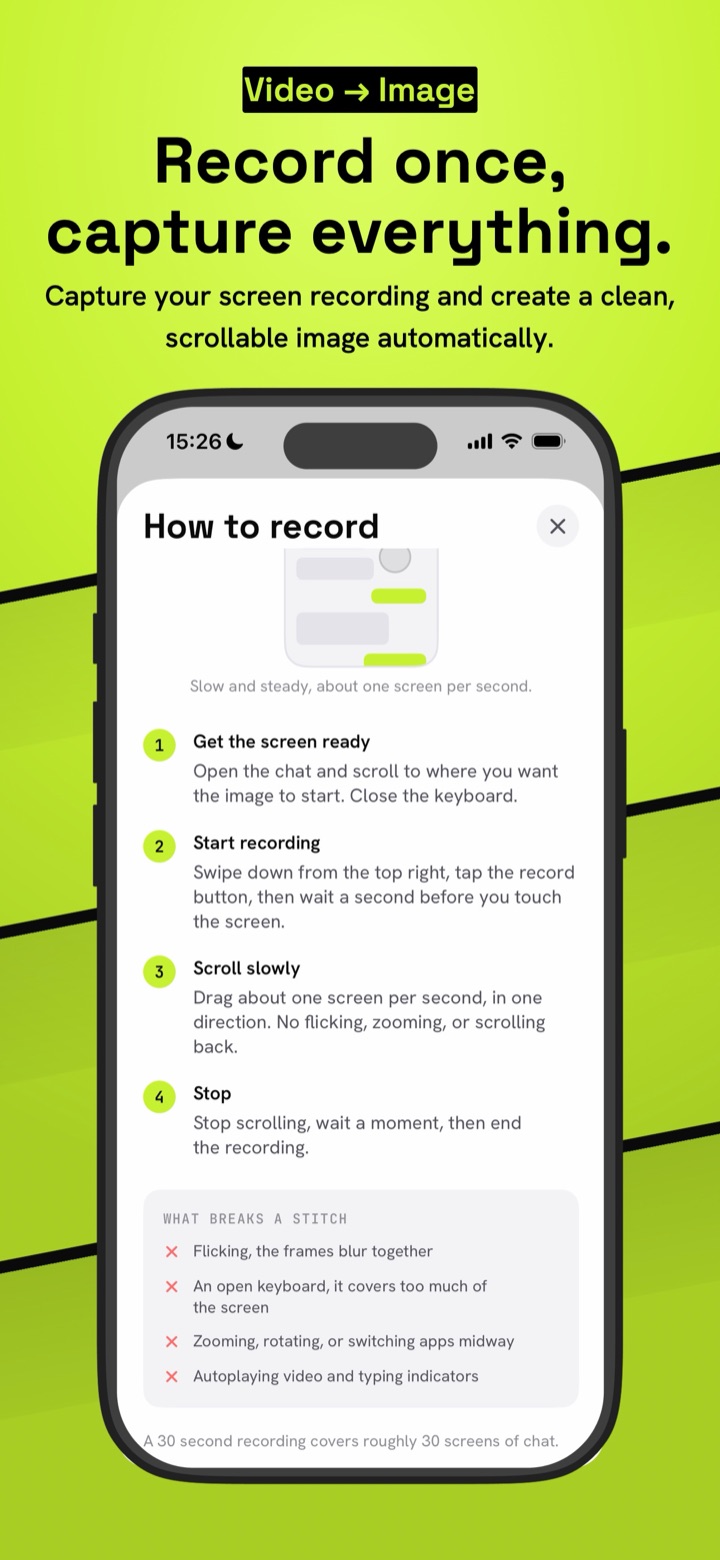
Record once, capture everything
From a scrolling chat to one image you can save or share.
Four steps, no screenshot pile
Skip taking twenty screenshots and lining them up by hand.
Get the screen ready
Open the chat, feed or page and scroll to where you want the image to start. Close the keyboard.
Record while you scroll
Start a screen recording and drag slowly, about one screen per second, in one direction.
Import the video
Pick the recording in Stitchy. It finds where each frame overlaps the last and joins them into one canvas.
Save or split
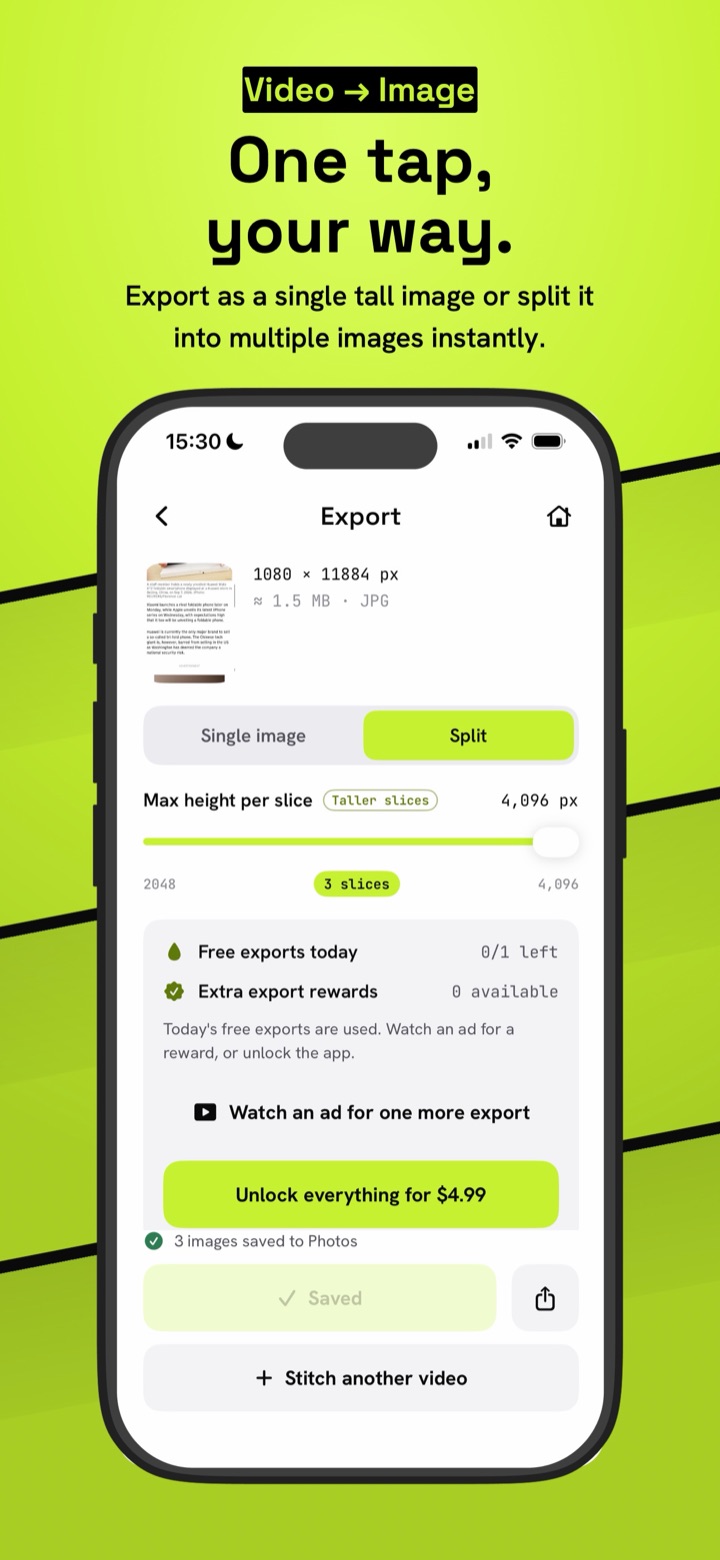
Keep one continuous image, or cut it into slices at a height you choose. Save to Photos or share anywhere.
- Flicking, the frames blur together
- An open keyboard covering the screen
- Zooming, rotating or switching apps midway
- Autoplaying video and typing indicators
A 30 second recording covers roughly 30 screens of chat.
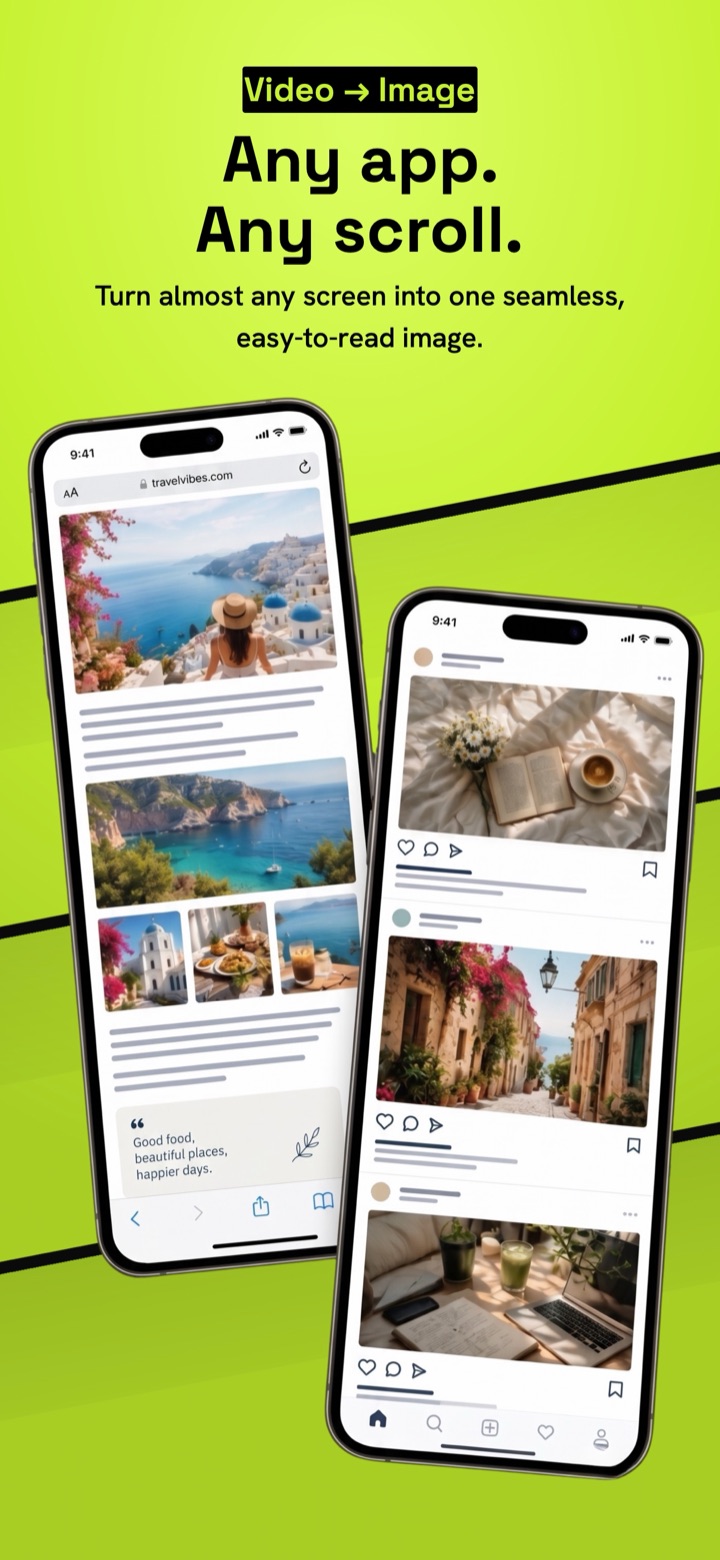
Any app. Any scroll.
Chats, feeds, articles, documents and web pages, all from one recording.
From one screen recording
No dozens of screenshots to take and trim. Record the scroll once and Stitchy does the lining up.
No repeated headers
Fixed bars and title strips appear once, so the result reads like one long page instead of stacked screens.
Honest about unsure joins
If a join is uncertain, the preview marks it on the image so you can check it before you save.
One image or slices
Export a single tall image, or split it into equal slices for apps that cap image height.
100% on device
Your recordings and images never leave your phone. No upload, no cloud and no account, which matters for private chats.
Fast
A minute of recording stitches in seconds. Works on iPhone, iPad and Android, in light and dark mode.
Stitch more. Wait less.
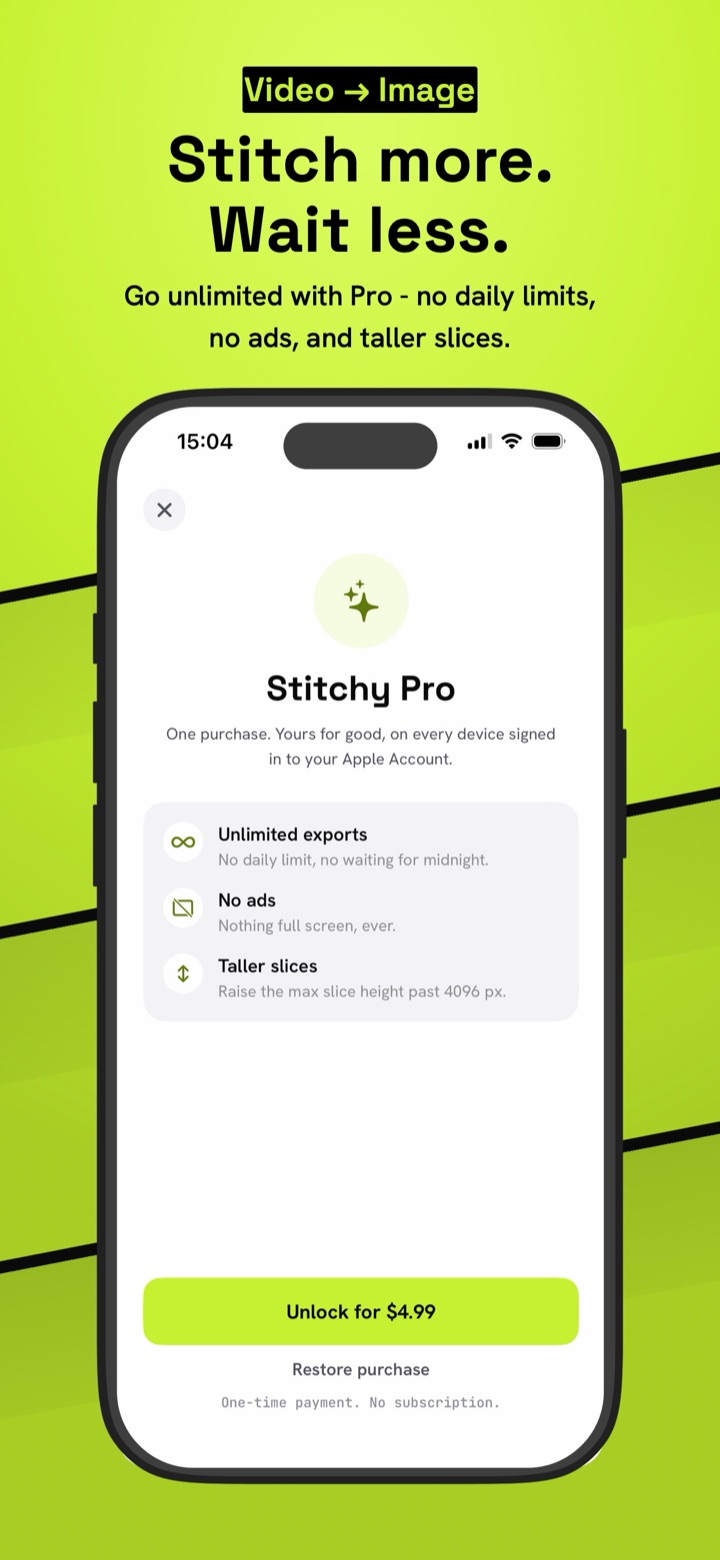
One payment. No subscription, no renewals.
Import, stitch and preview are always free and full quality. The free plan includes one export a day, plus one more when you watch a short ad.
Stitchy Pro
One purchase, yours for good on every device signed in to your account.
- Unlimited exportsNo daily limit, no waiting for midnight.
- No adsNothing full screen, ever.
- Taller slicesRaise the max slice height past 4,096 px.
One-time payment. No subscription.